Configure
Guided department setup brings together stations, apparatus, staffing, response plans, and aid. Authorized administrators can enter information manually or import supported templates, save drafts, and review changes.

Department licensing, implementation, and live demonstrations.
TACTRIUM™ is built for municipal fire departments and fire districts that want incident command training based on their own stations, apparatus, staffing, response plans, mutual aid, preplans, and local conditions.
Product showcase · 1 minute 48 seconds · Captions included
Actual TACTRIUM application screens. Fictional exercise. Training purposes only.
Every incident asks your people to make decisions. TACTRIUM gives them a place to practice those decisions together before the next call.
Start with your department: your apparatus, your staffing, and your response plans. Build training around the resources your people actually have.
As the incident develops, the instructor introduces new conditions and radio reports. Participants have to consider what has changed and decide what comes next.
The instructor stays in control of the pace. Pause for a conversation. Explore a decision. Then continue the same exercise.
Everyone has a part to play. Participants share reports from their assigned roles while the classroom display keeps the incident in view.
Afterward, come back to the decisions. Review the timeline and the information available at the time. Discuss what worked and where more practice would help.
That is the value of TACTRIUM: department-specific practice, connected participation, and a structured review—a repeatable way to develop command skills and learn as a team.
Train Command. Test Decisions. Improve Outcomes. To see TACTRIUM in action, request a demonstration at tactrium.app.
TACTRIUM™ Twin models the department resources and response information used in training. Instructors can build scenarios around the environment personnel already know.
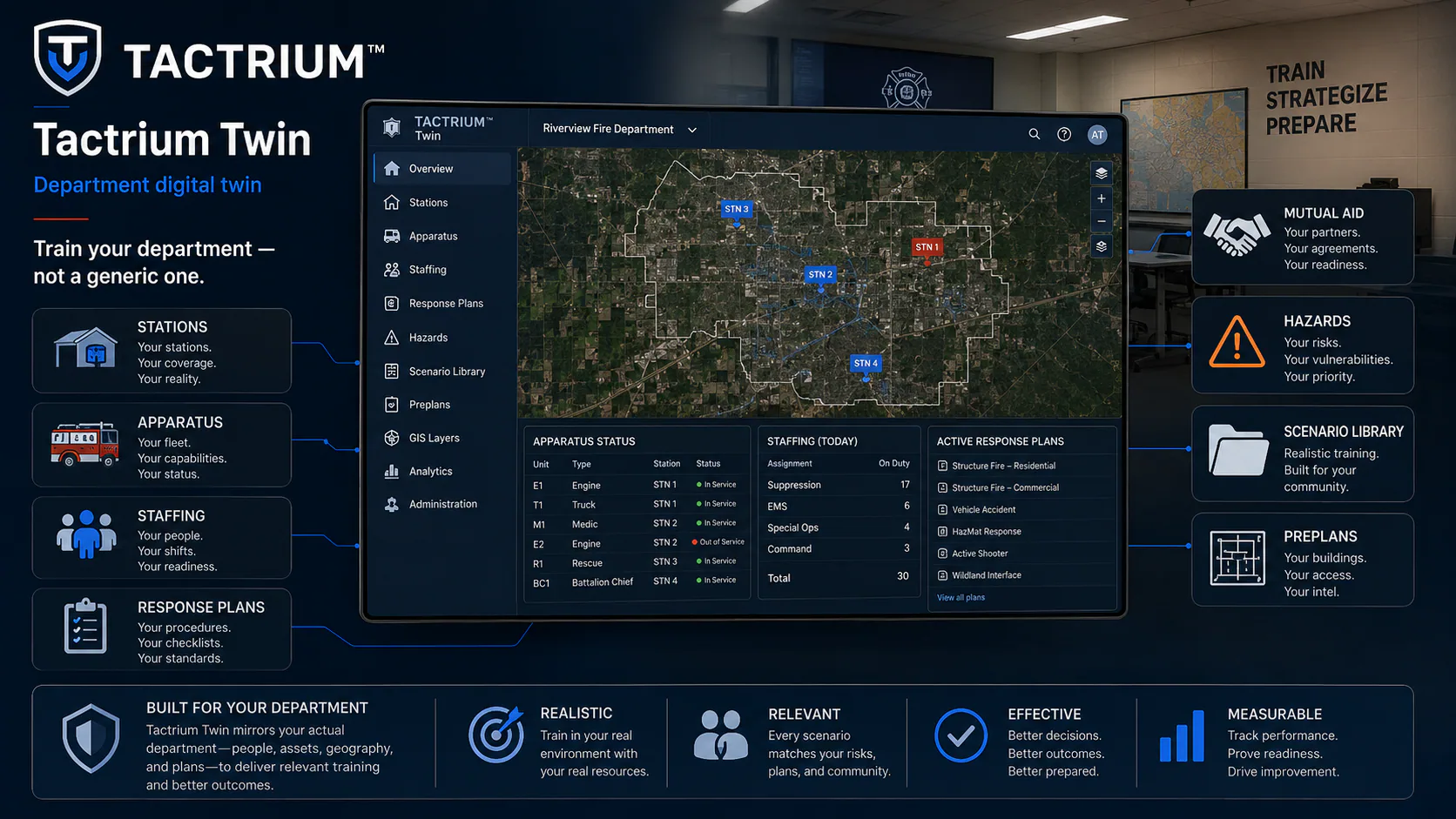
Instructors configure the department environment, build the scenario, run the exercise, and review the results.
Guided department setup brings together stations, apparatus, staffing, response plans, and aid. Authorized administrators can enter information manually or import supported templates, save drafts, and review changes.
Guided exercise setup helps the instructor choose a scenario, confirm the scene and resources, and review the exercise before starting.
The controller, assigned participants, and shared projector display follow the same incident. Use QR joining, role assignments, timing controls, communications, and changing conditions to support the training objective.
Use the recorded timeline, scene replay, evaluator observations, and exercise history to discuss decisions and assign follow-up training.
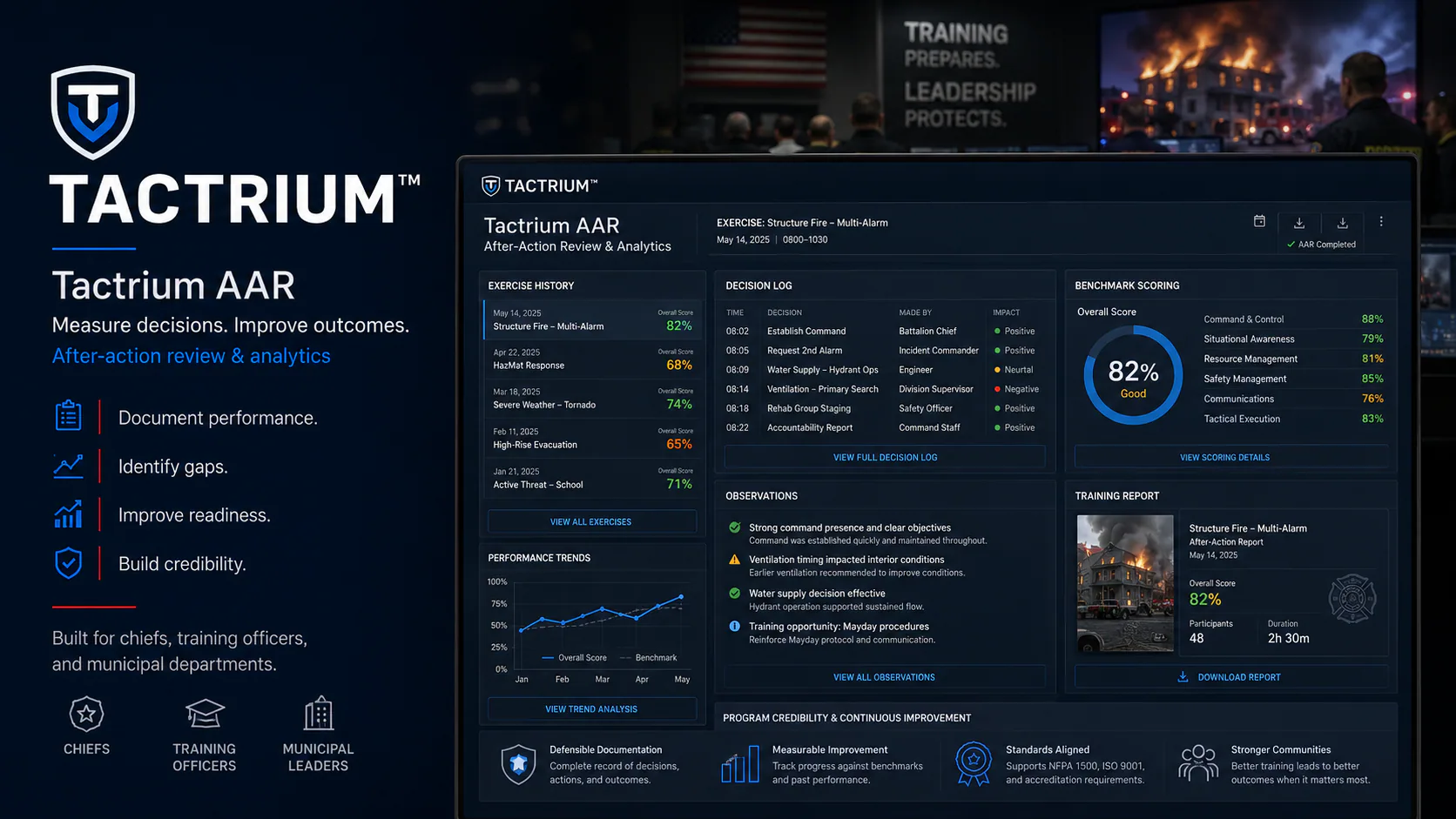
TACTRIUM™ gives instructors an exercise record they can use to review decisions, identify gaps, reinforce effective actions, and plan follow-up training.
The exercise record supports a consistent debrief and documents the information needed for follow-up training.
Command Training Systems provides TACTRIUM™ licensing, implementation, security, procurement, and information for municipal review.
Company Officer Foundations and Part 107 Remote Pilot Exam Preparation are open for self-paced enrollment. Explore Fire Investigator training, additional professional-development programs, and free study resources in the CTS Learn catalog. Course participation is separate from TACTRIUM licensing.